
Industry News


Industrial PC for Factory Automation: 4 Specs Most Buyers Overlook (And How to Get Them Right)
Industrial PC for Factory Automation: 4 Specs That Make or Break Your Deployment
2026-05-12 09:52:11
Buying an Industrial PC for factory automation? Most buyers get this wrong before they even open a spec sheet. Here's what actually separates a good decision from an expensive mistake.
Here's what actually separates a good decision from an expensive mistake.
The industrial automation market is growing fast — valued at $238 billion in 2025 and projected to reach $449 billion by 2032. Every factory floor is adding compute. But "industrial PC" is doing a lot of heavy lifting as a term — and the wrong unit on an automation line doesn't just underperform, it becomes a maintenance nightmare.(Coherent Market Insights)
Let's break down how to actually spec one for automation.
Step 1: Count Your COM Ports First, Not Your CPU Cores
In factory automation, the most overlooked spec is serial ports. Your industrial PC needs to talk to PLCs, sensors, barcode scanners, and legacy HMI devices — most of which still communicate over RS232 or RS485.
When choosing an automation computer, the first factor to consider is whether the PC can connect to the larger system already in place — including the USB ports, Serial COM ports, and Ethernet ports required by machines, sensors, and IoT devices in factory settings.(Premio Inc)
Rule of thumb: if you're running a mid-complexity automation cell, you need at least 6× COM ports available natively — not via adapter dongles, which introduce latency and failure points.
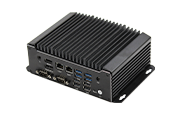
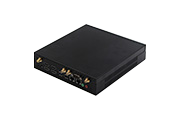
Maxtang's IX Series ships with exactly that: 6× COM (configurable RS232/RS485), 4× USB 3.2, dual LAN — without requiring expansion cards.
https://www.maxtangpc.com/IxSeriesIndustrialFanlessPc/
Step 2: Thermal Spec Is a Contractual Obligation, Not a Marketing Line
Automation environments are not office environments. A PC rated "0°C to 50°C" will thermal-throttle on a summer production floor near furnace equipment — causing intermittent failures that are nearly impossible to diagnose.
For selecting an industrial PC, it's essential to consider the temperature range of the environment where the computer will operate. Wide-temperature operation (-20°C to 60°C) isn't a premium feature — it's a baseline requirement for serious deployment.(Valanoipc)
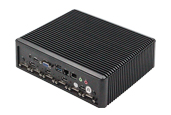
Maxtang's Leon Series is rigorously validated across that full range, with an all-aluminum fanless chassis that dissipates heat through conduction, not airflow — meaning no dust ingestion, no bearing wear, no scheduled fan replacements.
https://www.maxtangpc.com/LeonSeriesPc/
Step 3: Match CPU Tier to Your Actual Workload
For light industrial applications such as basic data collection or monitoring, processors like the Intel J1900, J6412, or N100 are excellent options. For applications requiring real-time data handling — such as machine vision systems, edge computing, or complex control processes — higher-performance processors like Intel i3, i5, or i7 are needed.(Valanoipc)
Workload | CPU Tier | RAM |
PLC replacement / simple HMI | Celeron J6412 / N100 | 8GB |
SCADA + multi-sensor fusion | Core i5 (Alder Lake-U) | 16GB |
Real-time vision + motion control | Core i7 / Raptor Lake | 32GB+ |
Maxtang covers all three tiers across the IX and DX Series — same ruggedized platform, different processor configurations, no redesign needed as your workload scales.
https://www.maxtangpc.com/DXSeriesIndustrialFanlessPc/
Step 4: Dual LAN Is Not Optional for OT/IT Separation
Modern automation architecture isolates the operational technology (OT) network — your PLCs, conveyors, robots — from the IT network. A single-LAN industrial PC forces you to bridge those networks through a switch, creating a security exposure point.
Industrial PCs with expansion slots offer greater versatility and can support more I/O including LAN, USB, and HDMI ports, and can run HMI applications independently — unlike PLCs that need separate HMI software.(Premio Inc)
Dedicated dual-LAN on the unit keeps OT and IT physically isolated at the device level. This is standard on Maxtang's IX and DX series — not an add-on.
The Bottom Line
Don't spec an industrial automation PC around benchmark scores. Spec it around port count, thermal range, network isolation, and CPU tier matched to your actual process.
Get the full product comparison across Maxtang's industrial lineup:
https://www.maxtangpc.com/LeonSeriesPc//
Related Article
-
 Best ATX Motherboard Manufacturers in 20242024-06-24Discover the world of ATX motherboards with our comprehensive guide Learn about their history, variations like microATX and EATX, and how to choose the right one for your needs Whether you re a gamer, PC enthusiast, or involved in industrial applicatio
 -
Understanding USB Type-C, USB 3.1, USB 3.2, USB4, and USB4 V22024-06-24Explore the evolution of USB technology from USB Type-C to USB4 V2 in our comprehensive blog Understand USB 3 1, USB 3 2, and USB4, including their features, data transfer speeds, power delivery capabilities, and compatibility Learn how these advancemen
-
 Maxtang at COMPUTEX Taipei 20242024-05-30Join Maxtang Computer at COMPUTEX Taipei 2024, the premier tech event in Taiwan! Discover the latest in IT and electronic products from June 4-7 at Nangang TaiNEX 2 Relive the excitement of COMPUTEX 2023 and get ready for another year of groundbreaking i


